 Trade Reclaim
How to Connect an Exchange to Trade Reclaim
The general 3-step flow to link any supported exchange to Trade Reclaim and start earning trading-fee cashback.
Connecting an exchange to Trade Reclaim is a quick, guided flow you run from your Trade Reclaim dashboard: you start the link, pick your exchange, create a fresh account through the affiliate link, and paste in its UID. It takes a couple of minutes, and the same five steps work for every supported exchange. Here is exactly what you will see.
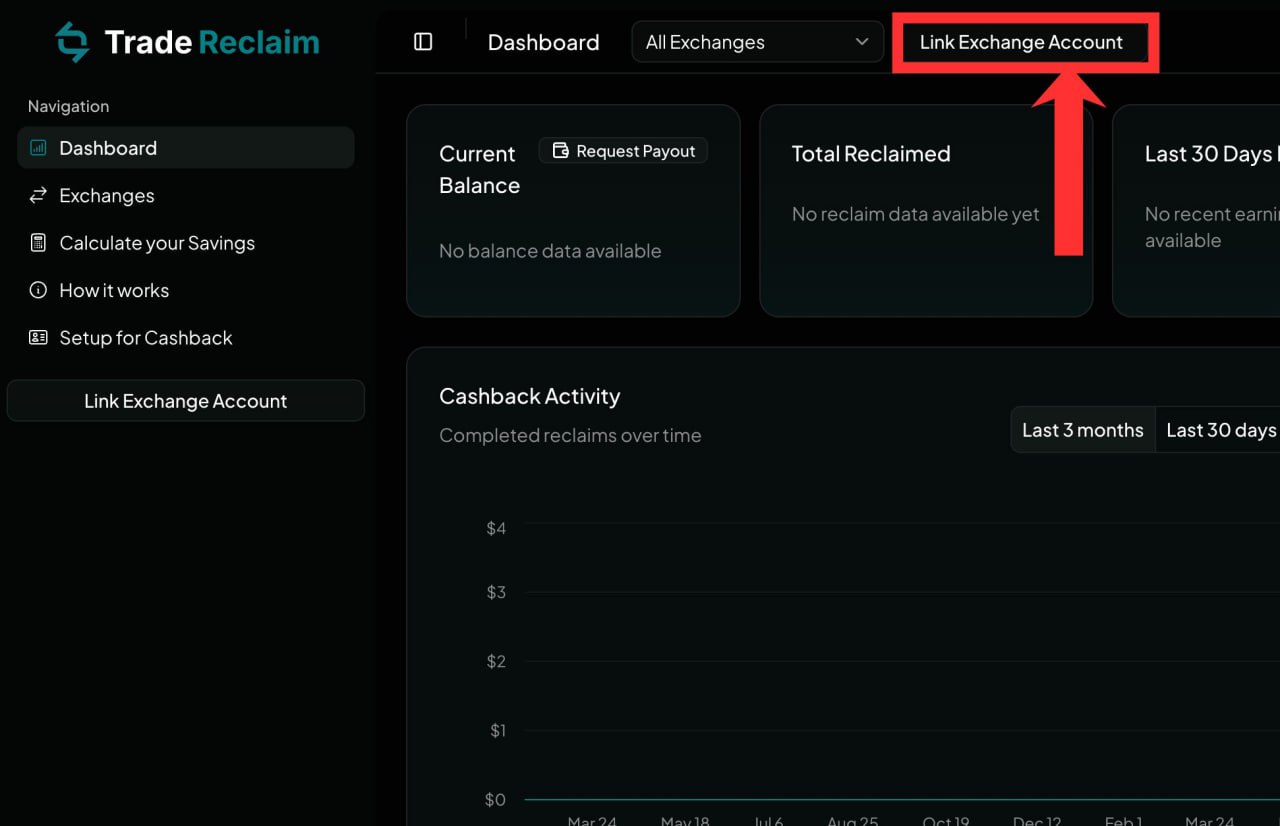
Step 1: Open "Link Exchange Account"
Log in to your Trade Reclaim dashboard and click Link Exchange Account in the top right. This starts the guided setup that ties your trading volume to Trade Reclaim, which is what lets your cashback be tracked.
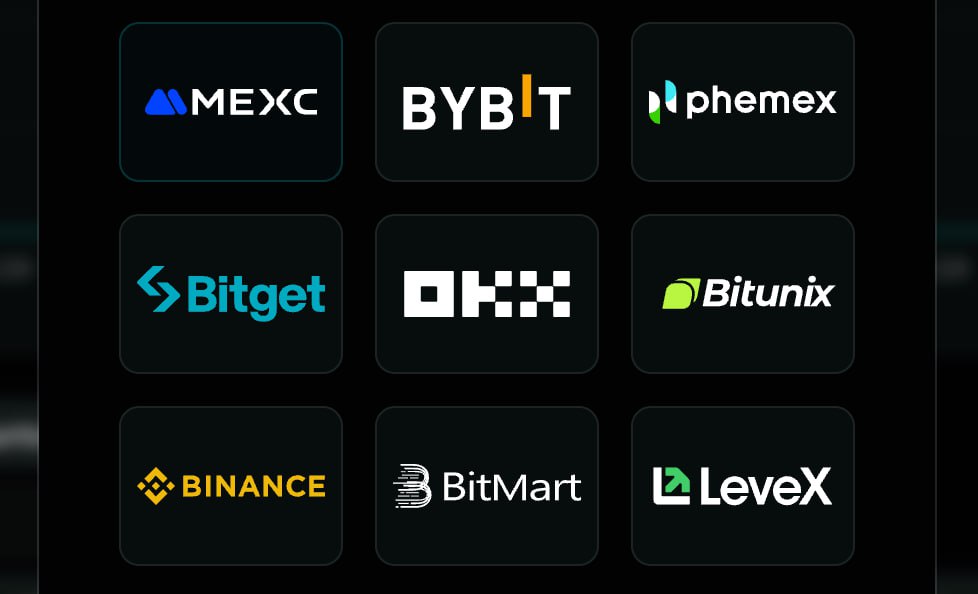
Step 2: Select your exchange
Pick the exchange you want to connect from the list — Bybit, Bitget, MEXC, Phemex, Bitunix and more. Each one takes under three minutes, and you can add as many as you trade on later.
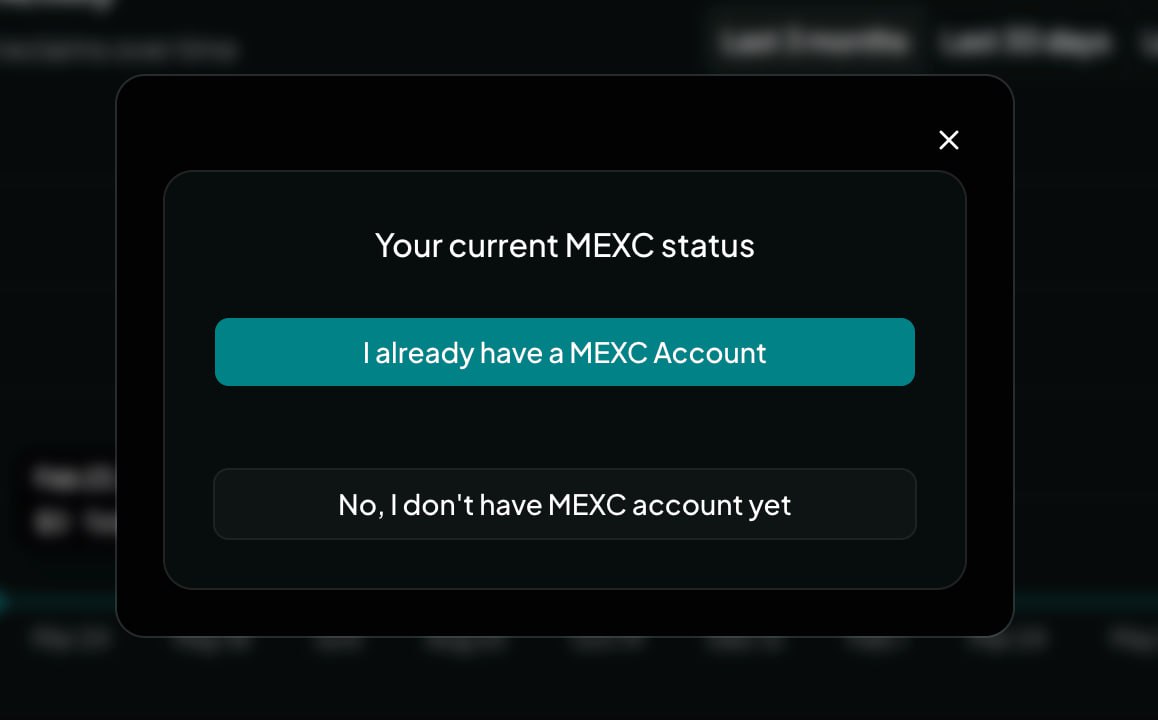
Step 3: Choose your status
Tell the wizard whether you already have an account on that exchange or need a new one. This step matters, because cashback only works when your account is tied to the Trade Reclaim affiliate link. Most exchanges require a fresh account; some allow an existing one to be transferred. The wizard shows the correct path for the exchange you picked — for example, MEXC lets you hold up to three accounts under the same KYC.
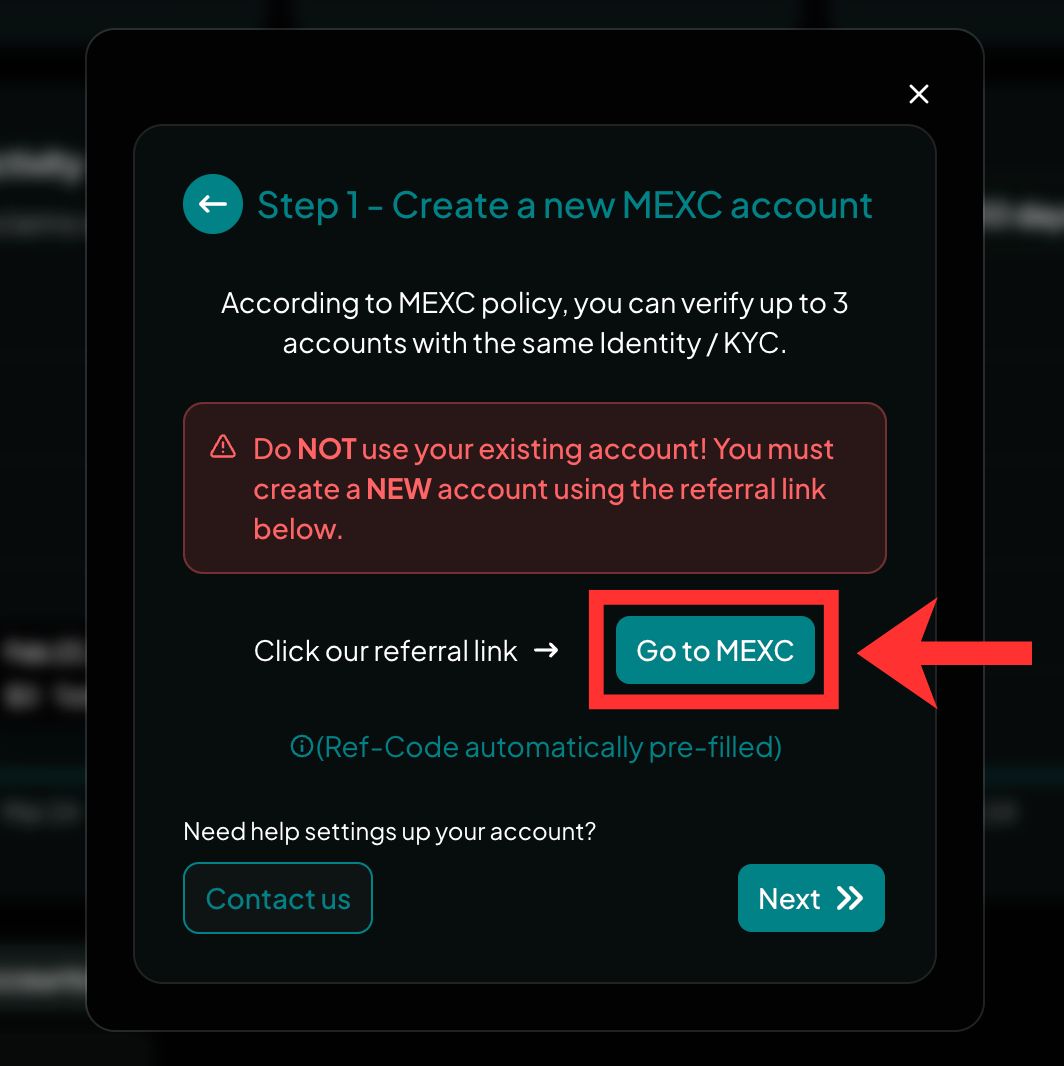
Step 4: Create your account through the button
Click the "Go to [Exchange]" button and create a brand-new account on the page it opens. That button carries the Trade Reclaim affiliate link, and that link is the whole point: the exchange pays us a commission on your trading fees, and we hand most of it straight back to you as cashback. An account created any other way will not be tagged — that is the number-one reason no trades get detected. Finish any KYC the exchange asks for; Trade Reclaim itself never asks for KYC, API keys, or withdrawal access.
Step 5: Enter your new UID
Once your new account exists, the exchange gives it a public UID — the user ID it assigns to your account. It is safe to share and is the only thing Trade Reclaim needs. Copy the UID from your new account (not an old one — only the new UID earns cashback) and paste it into the wizard to finish.
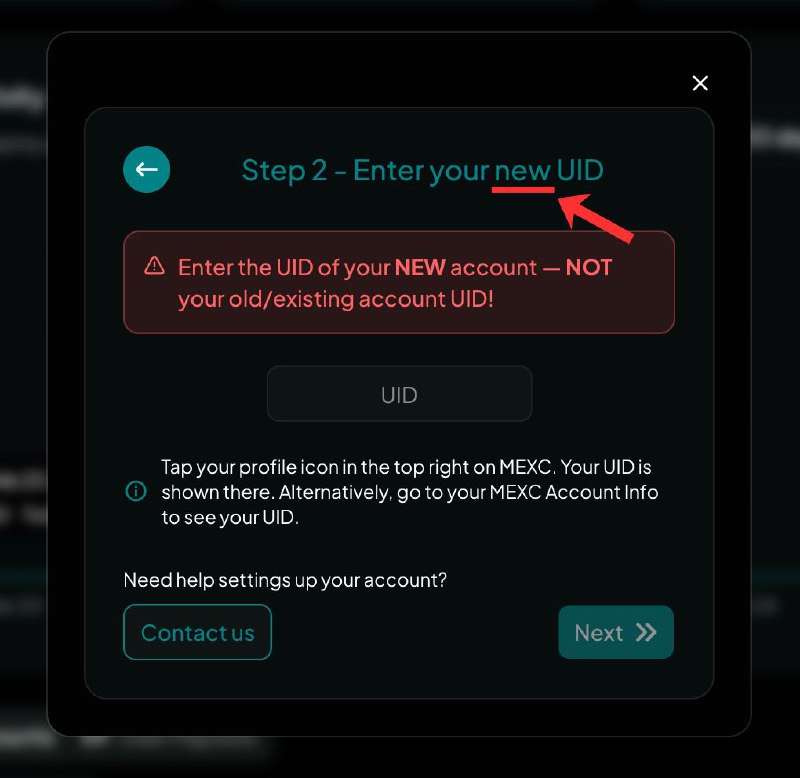
The UID usually sits in your exchange profile or account settings, near your avatar in the app. The exact spot varies by exchange, so check that exchange's own guide if you cannot find it.
What happens after you link
Submitting the UID shows a verification status while the exchange confirms the UID is in Trade Reclaim's affiliate network. Linking takes about 60 seconds per exchange, or 2-3 minutes if you also create the new account. Verification can take up to 48 hours. Once verified, your trades start earning cashback. Cashback is not credited per trade: it runs through a daily settlement cycle, where the exchange reports each completed trading day to Trade Reclaim once a day, so your cashback appears after that daily settlement, usually within about a day. You earn 30-50% of the affiliate commission back as USDT, sized as a percentage of your own trading fees.
FAQ
Can I connect an exchange I already use?
Not by simply pasting the UID of an old account. Volume only tags to Trade Reclaim if the account is tied to the affiliate link. The setup wizard shows the correct path for your exchange, which may be a new account or an affiliate transfer.
Do I need to give Trade Reclaim an API key?
No, never. Trade Reclaim only needs your public UID to read trading volume through the affiliate side. We do not have, ask for, or store API keys, passwords, or withdrawal access. The link is one-way and read-only.
Is it safe to share my UID?
Yes. The UID is public and read-only for our purposes. Trade Reclaim cannot see your balances or positions and cannot move funds. The exchange keeps full control of your account.
My UID shows as unverified. What now?
Verification can take up to 48 hours. If it stays unverified, confirm you signed up through the Trade Reclaim link and finished any required KYC, then contact support@trade-reclaim.com.