 Trade Reclaim
Link an existing MEXC account to Trade Reclaim
MEXC lets you attach a referrer for 30 days after signup. Here is the exact flow, with screenshots.
If you registered on MEXC without entering a referral code, you are not stuck. MEXC lets you attach a referrer yourself for the first 30 days after signup, using a feature it calls Self-Service Referrer Linking. Once linked to Trade Reclaim, your MEXC trading volume reports to us and your cashback starts on the next trade.
Check first whether this applies to you
All four conditions have to be true, and MEXC checks them automatically:
- Your MEXC account was created less than 30 days ago.
- You left the referral field empty at signup. An account that already used someone else's code cannot be moved.
- It is a main account, not a sub-account.
- Your account does not share identity information with the referrer.
If any of those fail, the linking route is closed and the only way to earn cashback on MEXC is a fresh account opened through our link.
Step 1: Open the linking page
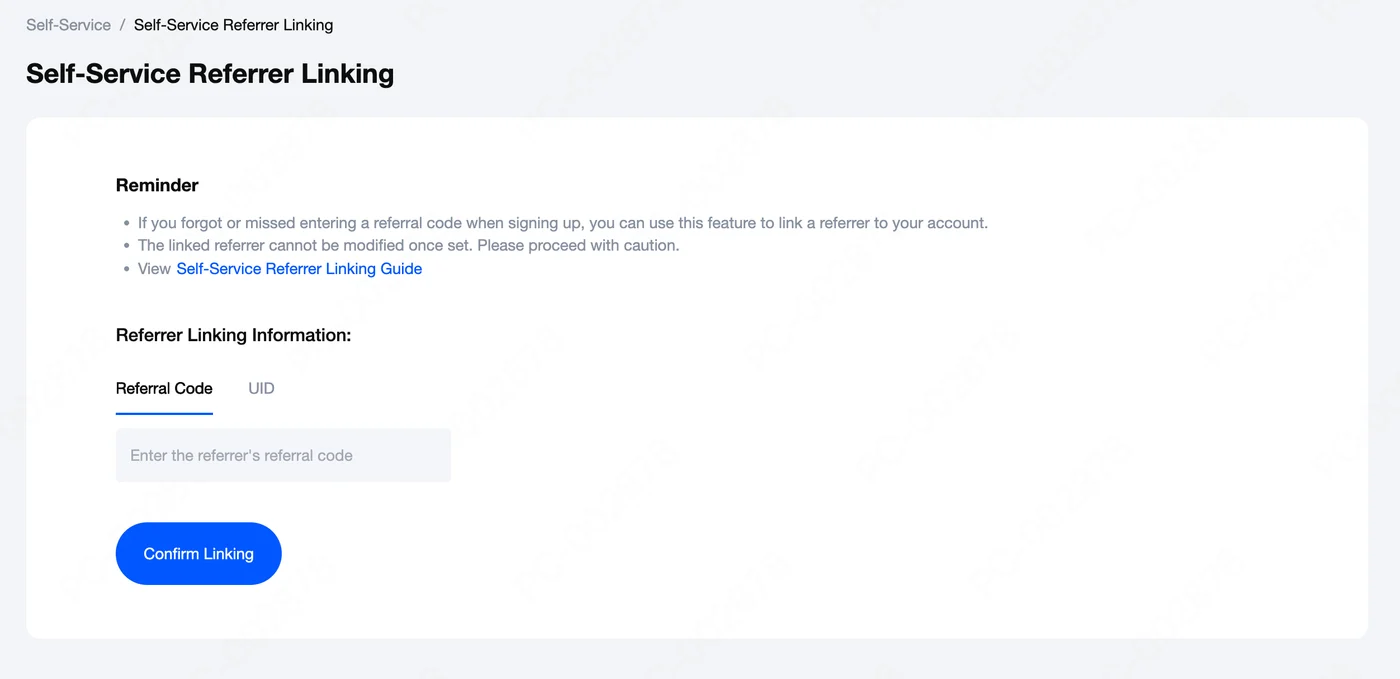
In MEXC's Help Center, open Self-Service Referrer Linking. The form warns you up front that the referrer cannot be changed once set, and lets you identify us either by referral code or by UID.
Step 2: Enter our code and confirm
Enter au0dS8PL in the Referral Code field. The code is case sensitive, so copy it rather than retyping it. If you prefer, switch to the UID tab and use our UID instead. Click Confirm Linking.
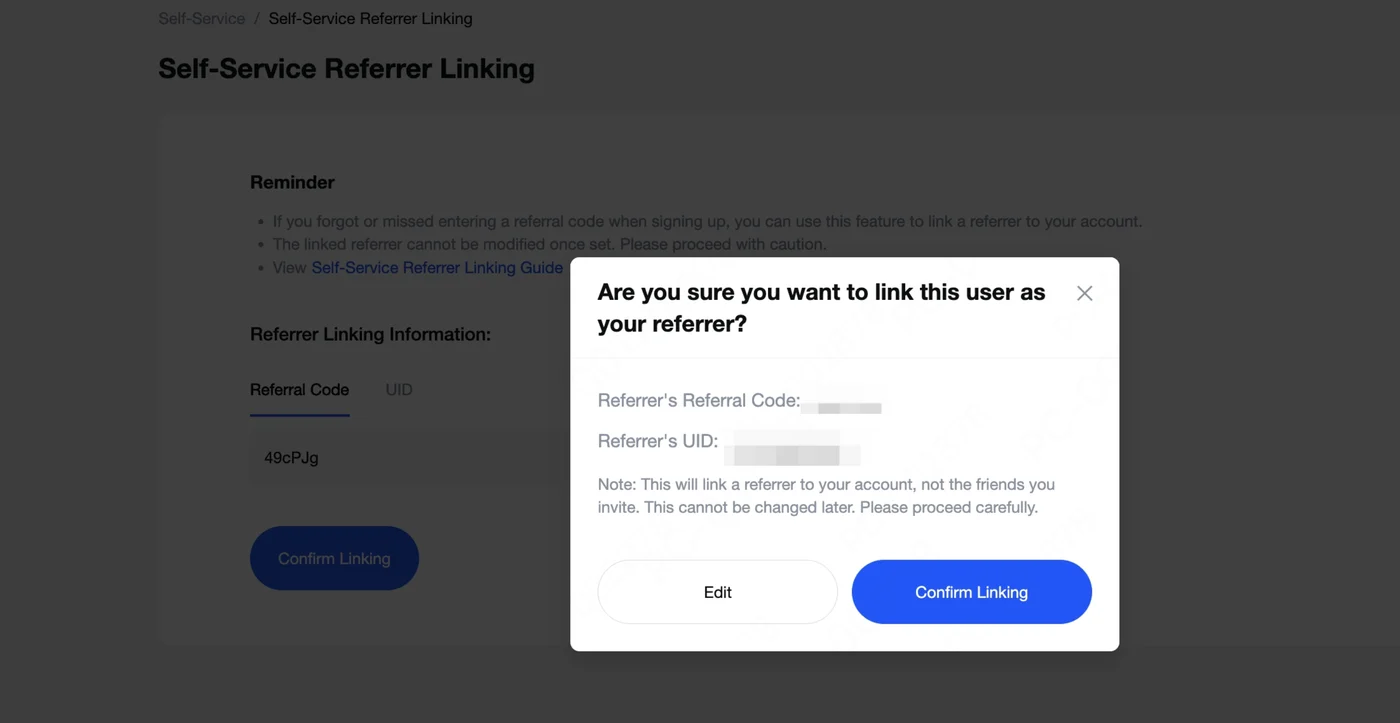
MEXC then shows you the referrer it found before saving anything. Check the code and UID, then confirm. This is the last moment you can still step back with Edit.
Step 3: Check that it worked
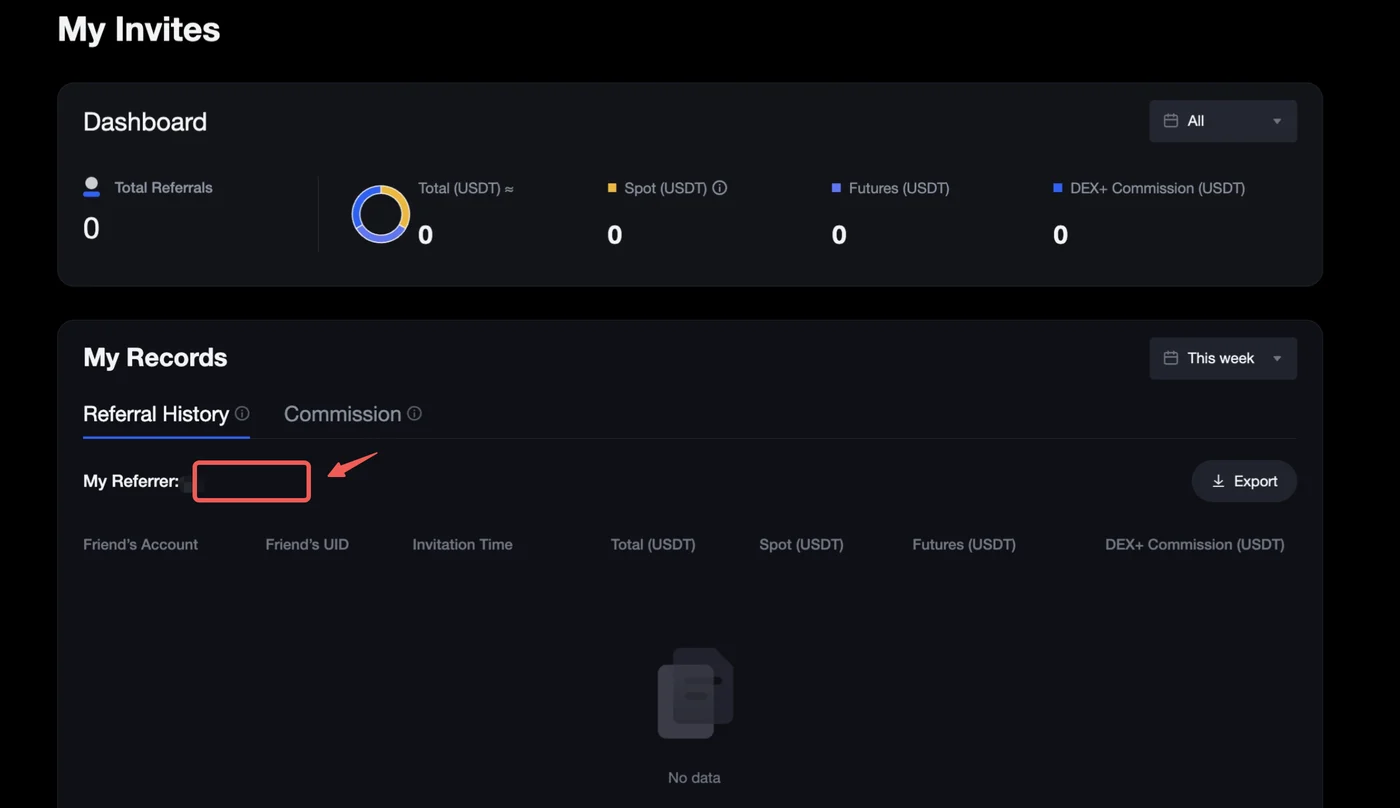
Open My Invites and look at My Referrer under Referral History. If our code appears there, the link is active.
Step 4: Add your UID to Trade Reclaim
Linking the referrer on MEXC tells the exchange where your volume belongs. Trade Reclaim still needs to know which of our users that is. Copy your public MEXC UID from your account overview and paste it into the Trade Reclaim setup wizard. From your next trade, the cashback accrues in USDT.
If MEXC refuses the link
There are three refusal messages, and each means something different.
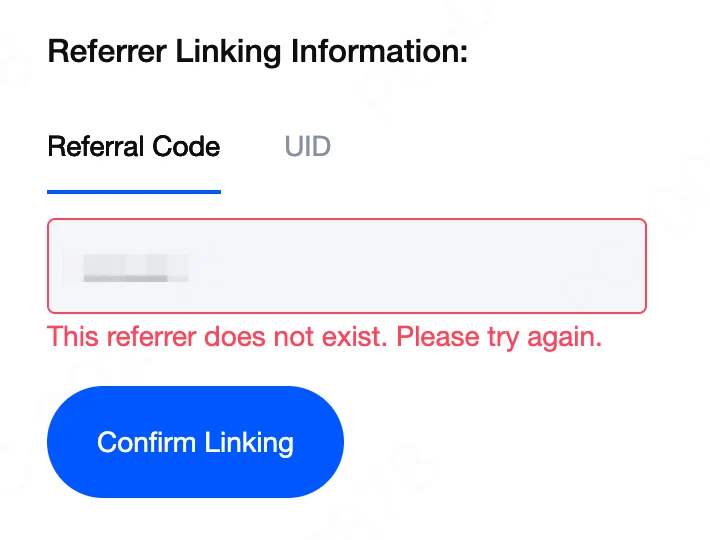
"This referrer does not exist. Please try again." The code was mistyped. au0dS8PL is case sensitive; copy it directly. This message also appears if you are past the 30-day window.
"The referrer's sign-up date is later than this account's and cannot be linked." MEXC only allows referrers who registered before you did. Nothing on your side can change this.
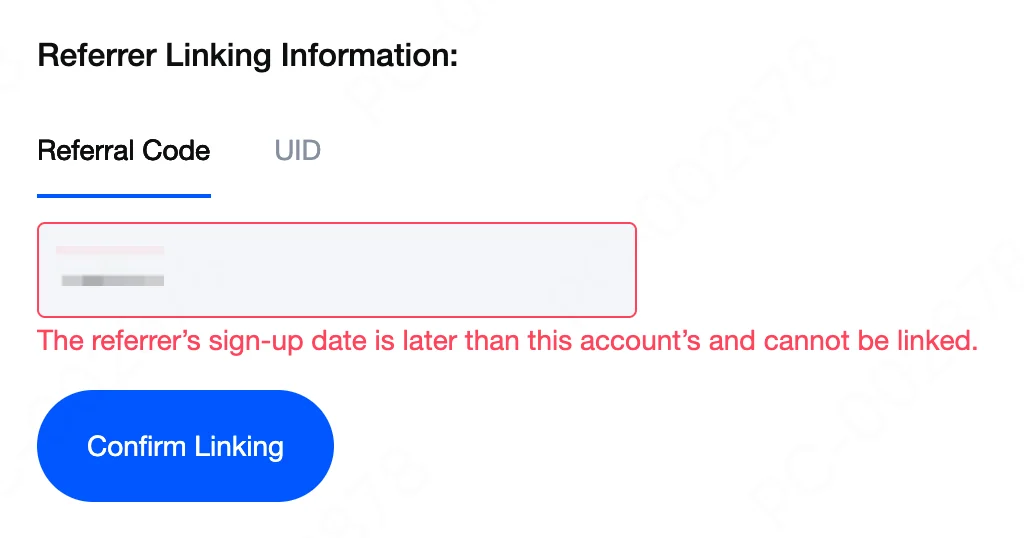
"The referrer has the same identity information as this account and cannot be linked." MEXC matched your verification data against the referrer's. The check exists to block self-referrals and cannot be waived.

What if the window has closed
Past 30 days, MEXC fixes the referral permanently and there is no support path around it. Opening a new MEXC account through our link is then the only way to earn cashback, and your old account can stay exactly as it is.
The screenshots on this page are MEXC's own, from its Self-Service Referrer Linking guide.